Generating Certificate
Issue the command to create a jks file using keytool.
keytool -genkey -alias example-comp -keystore example-comp.jks -keypass example-pwd123 -storepass example-pwd123 -keyalg RSA -keysize 2048 -validity 365 -v -dname "CN=www.example.com, OU=dgr, O=tpi, L=taipei, ST=taiwan, C=tw" -ext "SAN=DNS: www.example.com,IP:127.0.0.1"Query the content of the jks file.
keytool -list -v -keystore example-comp.jks -storepass example-pwd123Generate a keystore in p12 format, and provide a password.
keytool -importkeystore -srckeystore example-comp.jks -destkeystore example-comp.p12 -srcstoretype jks -deststoretype pkcs12 -keypass example-pwd123 -storepass example-pwd123Convert the file online, from P12 to PEM:
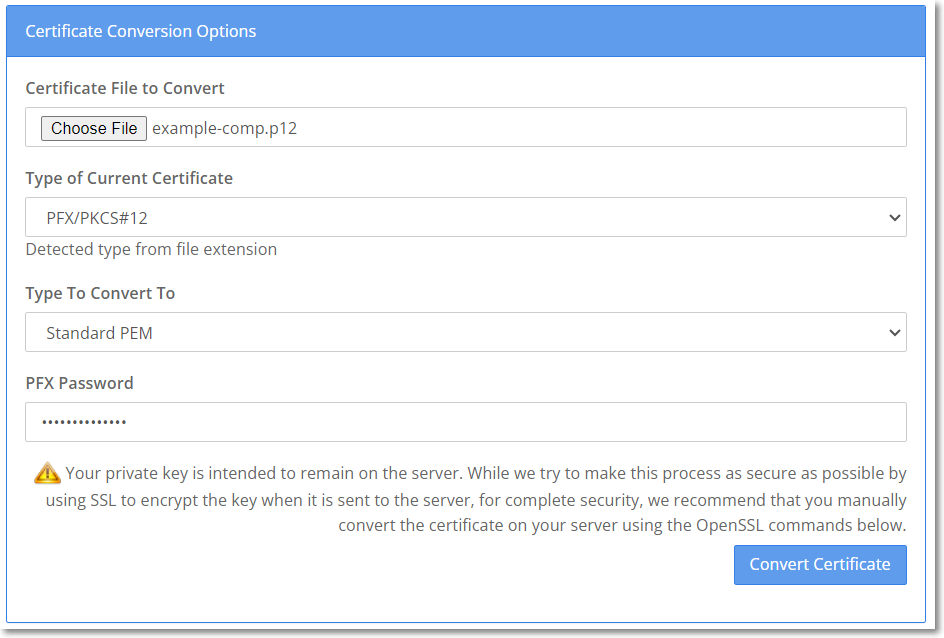
Go to SSL Shopper.
In the Certificate File to Convert field, click Choose File to select and upload the *.p12 file.
In the PFX Password field, enter your password.
Click Convert Certificate to finish the conversion.

The generated PEM file, such as example-comp.pem, contains both the private key and the certificate (including the public key). The content is as follows:
Retain only the data of the certificate (including the public key), such as example-comp-pub.pem. The content is as follows:
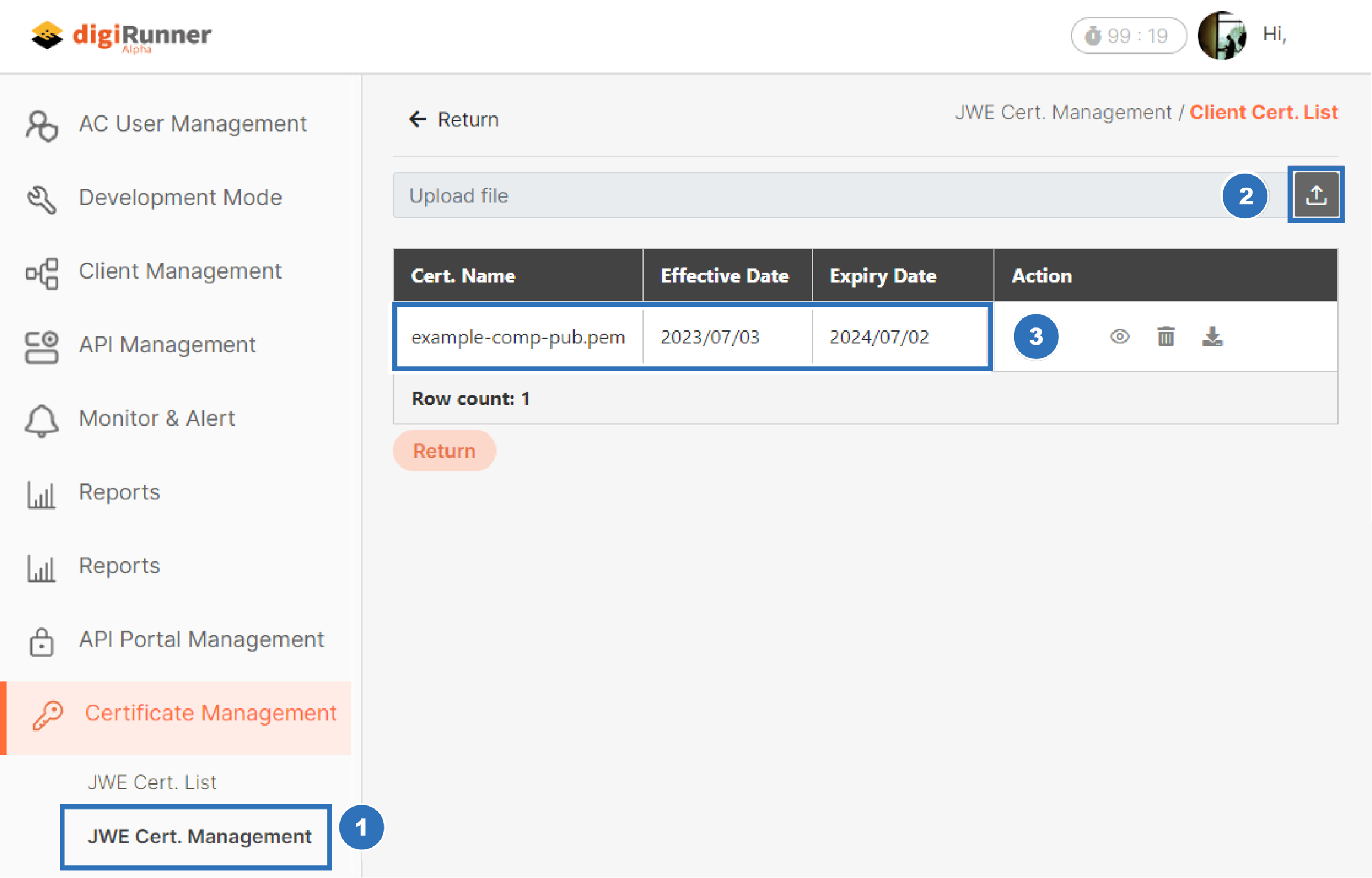
Upload the data of the certificate (including the public key), such as example-comp-pub.pem. to digiRunner.

Was this helpful?